Turn AI math into documents you can use.
Paste AI-generated Markdown or LaTeX. MathFix repairs the structure, gives you a PDF preview, then exports an editable Word document.
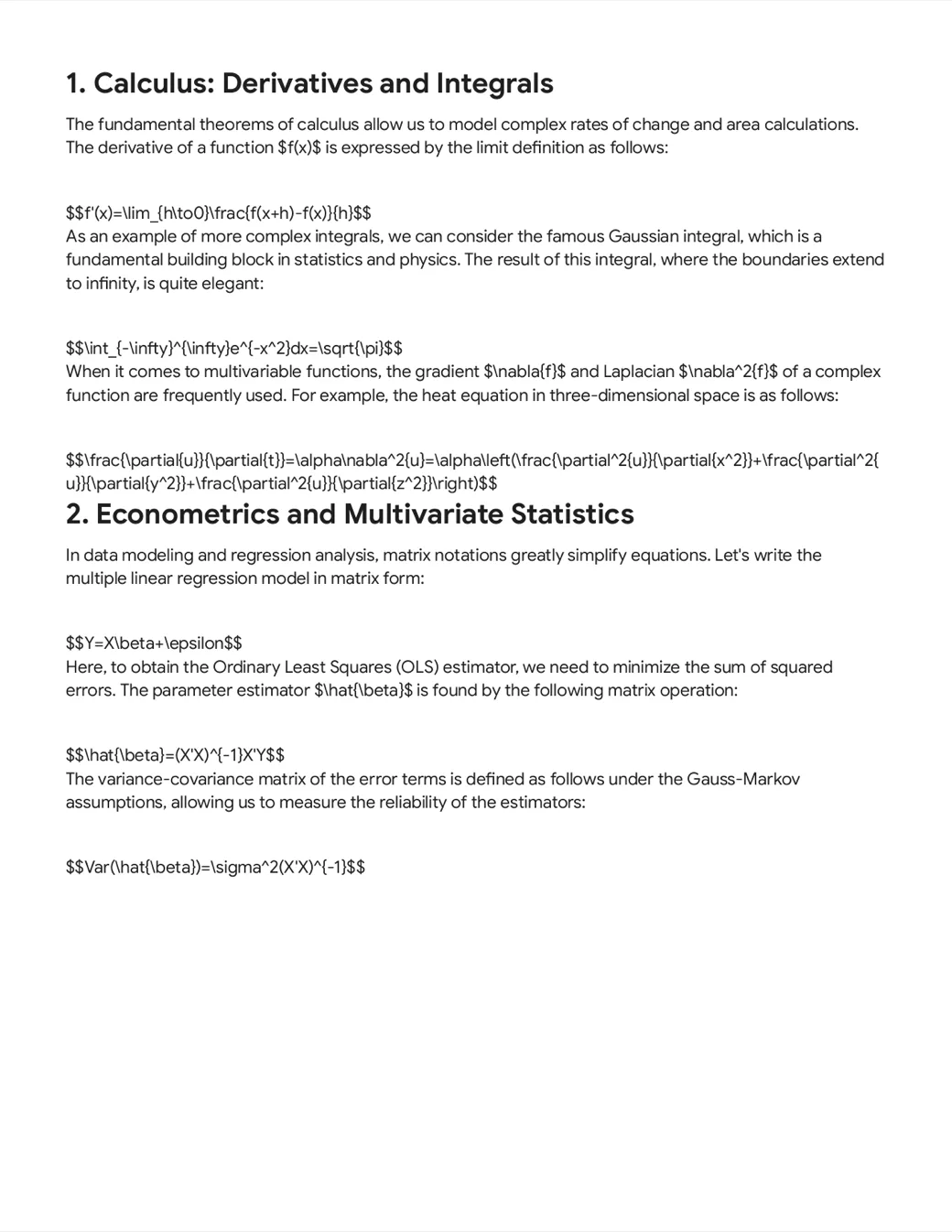
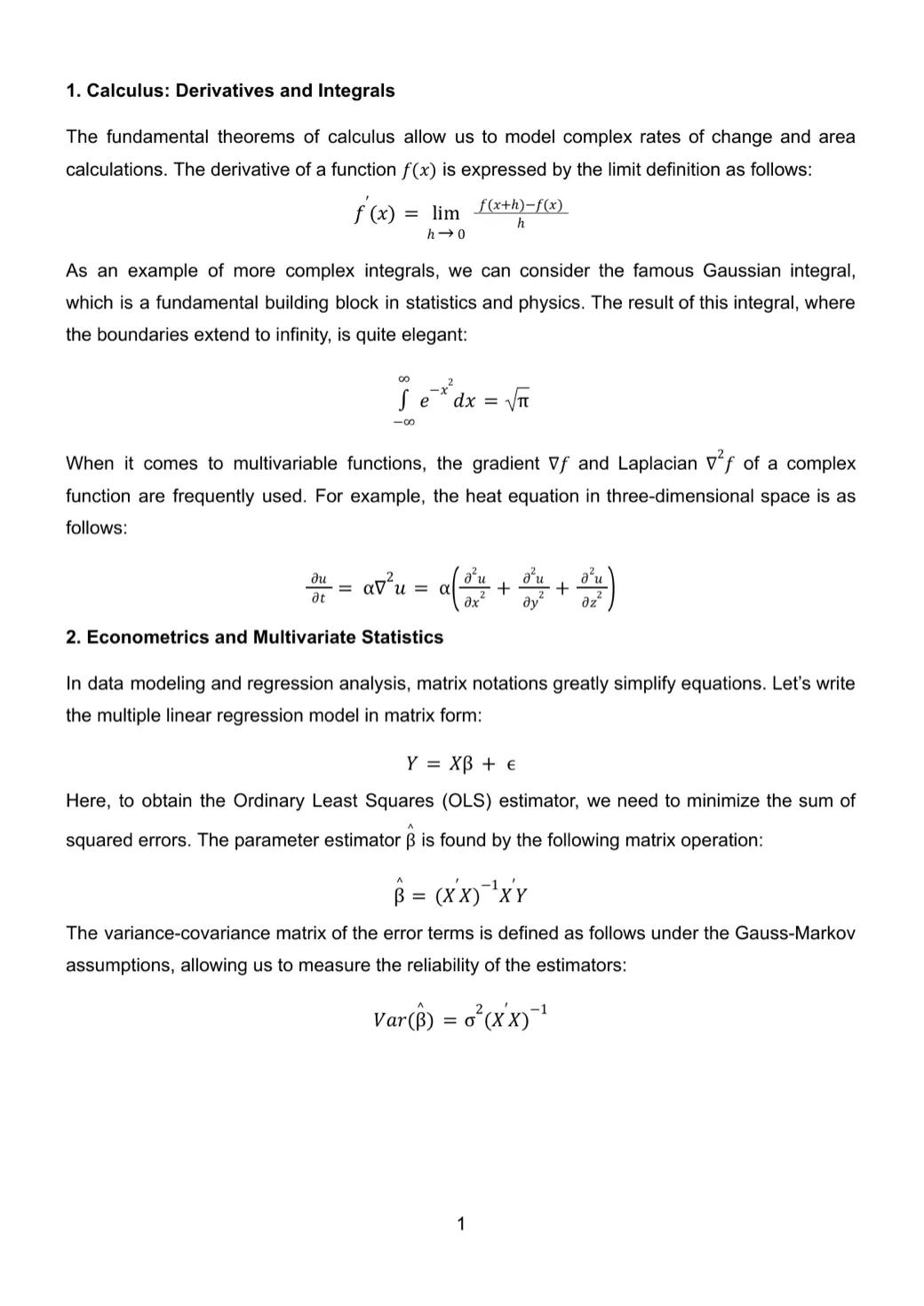
Use the left and right arrow keys to move the comparison slider.
What looks correct in chat often breaks in Word. MathFix repairs the structure before you export.
AI answers should not become formatting work.
Copying math-rich AI output into Word can break the structure that made the answer useful in the first place.
- ×Equations lose their layout and become difficult to edit.
- ×Tables collapse into plain text or need to be rebuilt by hand.
- ×Editing starts from a broken document instead of a clean draft.
Keep the structure. Export a document that stays usable.
- ✓Rebuild equations and document structure from the original AI output.
- ✓Keep tables, headings, lists, and layout intact.
- ✓Review the PDF first, then export an editable DOCX when you need to keep working.
No manual cleanup after every AI response.
What MathFix repairs
The parts of AI output that usually fail after paste.
Structure Repair
Restore headings, lists, and document hierarchy from pasted AI output.
Equations & LaTeX
Keep math clear from inline expressions to multi-line derivations.
Export Controls
Set type, margins, page size, and spacing before export.
Tables & Code
Retain tables and code blocks instead of rebuilding them in Word.
Long Documents
Run larger fixes in the background and return when the preview is ready.
Work That Stays Organized
Find recent fixes and keep track of the credits used for each job.
From paste to finished document.
Three steps, no manual reformatting.
Paste the AI Output
Drop in Markdown, LaTeX, equations, tables, or structured text.
Review the PDF
MathFix repairs the structure and prepares a clean preview.
Export and Keep Editing
Share a polished PDF or continue working in an editable DOCX.
Choose the format that fits.
Share a polished PDF or continue editing in Word.
Ready-to-Share PDF
Review a clean document before you send, print, or share it.
Editable Word Document
Keep editing with the headings, tables, and structure already in place.